
People Data API: Connect Apps to People Data
Many business applications depend on accurate information about people, from CRM records to research tools and internal databases. A people data API connects those applications to a larger body of identity and people data, so your systems can look up, verify, and enrich records automatically instead of relying on manual searches.
This guide explains what a people data API does, where it fits in common business workflows, and what to evaluate before you build an integration. If you want to explore as you read, you can create a free account with EnformionGO.
What a People Data API Does
An API, or application programming interface, lets one piece of software request information from another. A people data API applies that idea to person-level data. Your application sends a request with known details, and the API returns structured results your system can use.
- Look up records: Search using known details, such as a name or address.
- Verify information: Confirm that the details you already hold are consistent and current.
- Enrich records: Add missing details to existing profiles in your database.
- Cross-reference data: Compare your records against public-record sources to spot gaps or conflicts.
Because results come back in a structured format, developers can route them directly into the workflows that need them.
Common Business Use Cases
A people data API is most valuable when it supports a clear, appropriate business purpose. Teams commonly use one for:
- Data verification: Checking contact and identity details before records enter a CRM or marketing list.
- Data enrichment: Filling in incomplete records so teams have fuller context.
- Sales and market research: Understanding prospects and audiences more clearly.
- Real estate research: Connecting people, property, and address information during research.
- Record cleanup: Identifying duplicates and outdated entries across systems.
In each case, the API removes repetitive lookups and helps keep data more consistent across tools.
How an API Integration Works
Most people data APIs follow a familiar request-and-response pattern, which makes them approachable for development teams.
1. Authenticate
Your application identifies itself with credentials issued by the data provider, which controls access to the service.
2. Send a request
The application submits the details it already has, such as a name and address, to the appropriate endpoint.
3. Use the response
The API returns structured data that your system can store, display, or compare against existing records.
EnformionGO offers real-time API access to identity, people, business, asset, and court record data, along with self-service searches for one-off lookups. Start Free to explore the options.


What to Evaluate Before You Integrate
Before committing development time, review a few practical factors:
- Source breadth: More sources support stronger cross-referencing. EnformionGO draws on more than 6,000 unique data sources.
- Data freshness: Real-time access helps your applications work with current information.
- Data coverage: Confirm the API returns the data types your workflow needs.
- Use case fit: Make sure your intended use aligns with the provider’s supported business applications.
- Developer experience: Clear documentation and predictable responses make integration smoother.
Running a small pilot with real records is a practical way to confirm fit before scaling up.
Bring People Data Into Your Applications
A people data API turns scattered lookups into a repeatable, automated process. When your applications can verify and enrich records on their own, teams spend less time on manual research and more time using data that is complete and consistent.
To see how this works in practice, review the guidance below and Get Started with EnformionGO.
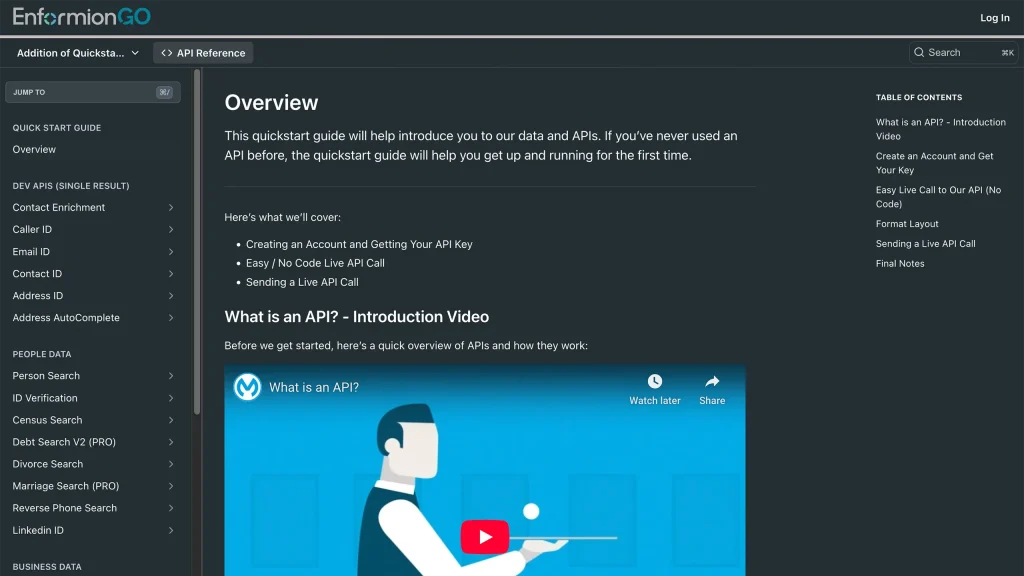
Getting familiar with how to use EnformionGO’s search and API products is very helpful in deciding what products you’ll want to use. We’ve created this quick start guide to walk new users through how to use EnformionGO. Happy searching!