Property Data API

Use the EnformionGO Data Suite to verify information on searched properties and collect additional relevant data. Search and API tools make finding property information easier and more reliable with research backed by thousands of credible data sources.

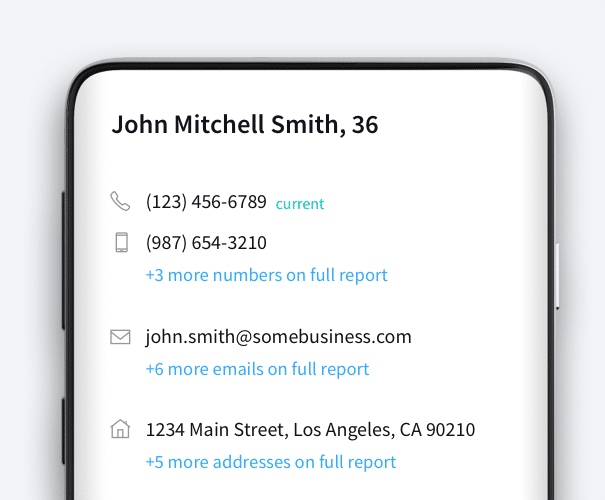
An example of EnformionGO’s API showcasing information on John Mitchell Smith

Find Property Data

Use the EnformionGO Data Suite to verify information on searched properties and collect additional relevant data. Search and API tools make finding property information easier and more reliable with research backed by thousands of credible data sources.

Browse Property Data Products

Examples of ways customers have used EnformionGO for finding property data

Starter

AddressID

Find someone’s name and contact info just from an address

Starter

Deeds Records

Provides a list of deeds records based on your search criteria

Starter

Property Search

Performs a criteria search, and returns a list of matching Assessor and Recorder records

Starter

Real Property – Combined Search

A detailed property report sourced from assessor and deeds records including data about the property

Related Data Fields

Our Property Data Reports Include:

Person Data

Filter Person Data using the fields below.

  • Age
    • Field type: range – min/max (18 – 120)
    • Description: Set the age range for your matches
  • Education Level
    • Multi select
      Description: Select the education level(s) you want to target. You can select more than one.
  • Credit Score
    • Field type: range – min/max (0 – 850)
    • Description: Set the credit score range for your matches
  • Estimated Income
    • Field type: range – min/max ($0 – $250,000)
    • Description: Set the income range for your matches. Max setting is $250,000+.
  • Number of Properties Owned
    • Field type: range – min/max (0 – 50)
    • Description: Set the owned properties range for your matches
  • Occupation Level
    • Multi select
      Description: Select the occupation level(s) you want to target. You can select more than one.
  • Marital Status
    • Multi select
      Description: Select the marital status(es) you want to target. You can select more than one.
  • Gender
    • Multi select
      Description: Select the gender(s) you want to target. You can select more than one. Default is all.