Customer Data Enrichment for Better Insights

Understanding your audience has never been more important. Businesses today rely on accurate, up-to-date information to make smarter decisions, personalize outreach, and identify growth opportunities. Customer data enrichment plays a key role in transforming basic records into actionable intelligence that drives results across marketing, sales, and operations.

By enhancing existing datasets with additional attributes—such as demographic details, business affiliations, and behavioral insights—organizations can build a more complete and reliable view of their customers.

What Is Customer Data Enrichment?

Customer data enrichment is the process of supplementing your existing customer data with additional, verified information from external sources. This turns incomplete or outdated records into comprehensive profiles that support better targeting and analysis.

Common enrichment data points include:

  • Contact details (emails, phone numbers)

  • Demographics (age, income, household data)

  • Business information (firmographics, industry, size)

  • Asset ownership and property data

  • Court and public record data

When done correctly, enrichment improves both the accuracy and depth of your data, allowing teams to operate with greater confidence.

What Is Customer Data Enrichment

Why Customer Data Enrichment Matters

High-quality data directly impacts how effectively a business can engage its audience. Enriched data enables more precise segmentation, stronger personalization, and improved decision-making.

Key benefits include:

1. Improved Customer Segmentation

With richer datasets, businesses can group audiences based on more meaningful characteristics, leading to highly targeted campaigns.

2. Better Personalization

Understanding customer behaviors and attributes allows for tailored messaging that resonates and drives engagement.

3. Increased Sales Efficiency

Sales teams can prioritize high-value prospects and approach them with relevant insights, improving conversion rates.

4. Expanded Public Record Insights

Access to verified identity, asset, and public record data supports more informed evaluations in industries like finance, real estate, and compliance.

How Data Intelligence Platforms Support Enrichment

Modern data enrichment relies on advanced platforms that aggregate and verify information from multiple trusted sources. This ensures accuracy, consistency, and scalability.

One example is EnformionGO, a data intelligence platform designed to deliver real-time access to a wide range of data types, including:

  • Identity and people data

  • Business records

  • Asset and property information

  • Court and public records

How Data Intelligence Platforms Support Enrichment

EnformionGO utilizes information from over 6,000 unique data sources to perform public record inquiries and cross-reference existing data. This multi-source approach helps ensure that enriched data is both comprehensive and reliable.

Organizations can access this data through:

  • Self-service search tools for quick lookups

  • API integrations for seamless workflows and automation

For teams looking to enhance their data strategy, it’s easy to get started with enriched insights that integrate directly into existing systems.

Use Cases Across Industries

Customer data enrichment supports a wide range of industries by delivering deeper insights and improving operational efficiency.

Real Estate and Development

  • Identify property ownership and transaction history

  • Analyze market trends and investment opportunities

  • Build targeted outreach lists

Marketing and Sales

  • Enhance lead profiles for better targeting

  • Improve campaign performance with accurate segmentation

  • Increase ROI through personalized engagement

Financial Services and Risk Management

  • Research public record and business information

  • Access court and public records for due diligence

  • Strengthen compliance processes

Market Research

  • Gain a deeper understanding of consumer behavior

  • Combine demographic and behavioral data for analysis

  • Support market research and strategic planning with enriched datasets

With tools like EnformionGO, professionals across these sectors can get started quickly and unlock meaningful insights from their data.

Best Practices for Effective Data Enrichment

To maximize the value of enriched data, organizations should follow a structured approach:

Maintain Data Quality

Regularly clean and validate your data to ensure accuracy before enrichment.

Use Trusted Data Sources

Rely on platforms that aggregate verified, multi-source information to maintain consistency.

Integrate Seamlessly

Leverage APIs to automate enrichment and keep data updated in real time.

Focus on Relevance

Enrich data with attributes that directly support your business goals and use cases.

Turning Data Into Actionable Insights

Customer data enrichment is more than just adding information—it’s about creating clarity. With a more complete view of customers, businesses can uncover patterns, anticipate needs, and make strategic decisions with confidence.

Platforms like EnformionGO simplify this process by providing access to robust, real-time data that enhances both individual records and large datasets. Whether you’re refining your marketing strategy, improving sales outreach, or conducting in-depth research, enriched data becomes a powerful competitive advantage.

To unlock deeper insights and elevate your data strategy, get started today.
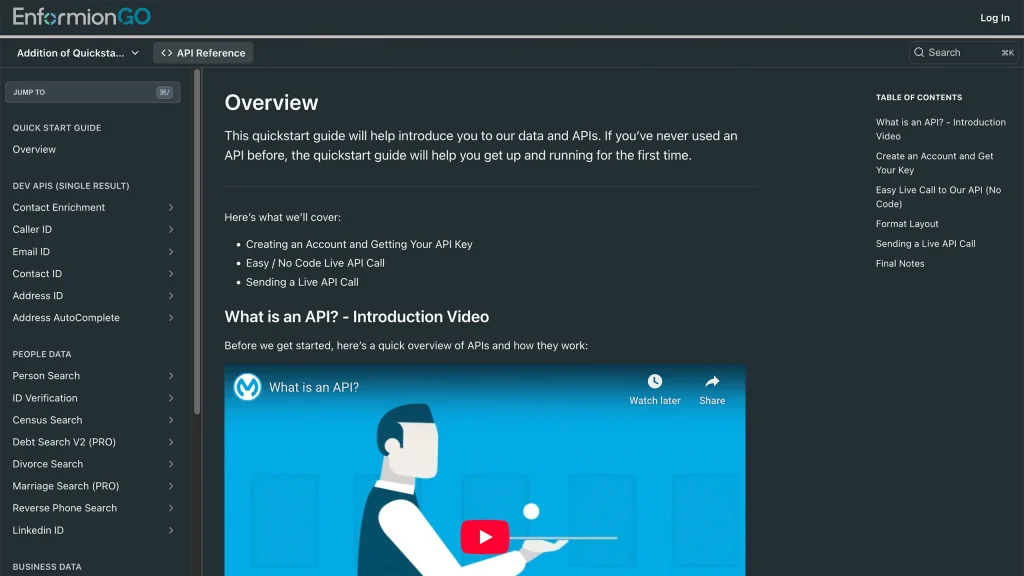
Enformiongo api documentation readme

Getting familiar with how to use EnformionGO’s search and API products is very helpful in deciding what products you’ll want to use. We’ve created this quick start guide to walk new users through how to use EnformionGO. Happy searching!

Pro License Data

Filter Pro License Data using the fields below.

  • License Status
    • Multi select
      Description: Select the license status(es) you want to target. You can select more than one


  • License Issuing State
    • Multi select
      Description: Select the license issuing state(s) you want to target. You can select more than one.


  • License Issuing Date Range
    • Select the date range for when the target matches had their license issued.
  • License Expiration Date Range
    • Select the date range for when the target matches had their license expire.

Workplace & Corporation Data

Filter Workplace Data using the fields below.

  • Years at Company
    • Field type: input
    • Description: Enter the number of years at a company for your target matches.
  • Job Title Level
    • Multi select
      Description: Select the job title level(s) you want to target. You can select more than one.
  • Department
    • Multi select
      Description: Select the department(s) you want to target. You can select more than one.
  • Company Revenue Range
    • Field type: range – min/max ($0 – $100,000,000)
    • Description: Set the company revenue range for your matches
  • Company Size
    • Field type: range – min/max (0 – 10,000)
    • Description: Set the company size range for your matches
  • Office Location City
    • Field type: input
    • Description: Enter the office location city name you want to target
 
  • Office Location County
    • Field type: input
    • Description: Enter the office location county name you want to target
  • Office Location State
    • Field type: Multi-select
    • Description: Select the office location state(s) you want to target. You can select more than one.
  • Office Location Zip
    • Field type: input
    • Description: Enter the office location zip code you want to target

Property Data

Filter Property Data using the fields below.

  • Number of Property Owners
    • Field type: range – min/max (0 – 50)
    • Description: Set the range of the number of owners for one of the properties linked to each match you want to target
  • Land Use Code
    • Field type: input
    • Description: Enter the land use code (number only) for one of the properties linked to each match you want to target. For example, for “1100: Single-Family Home” you would enter “1100”
  • Total Square Footage
    • Field type: input
    • Description: Enter the total square footage (number only) for one of the properties linked to each match you want to target

  • Property Value
    • Field type: range – min/max (0 – 10 million)
    • Description: Set the range of the property value for one of the properties linked to each match you want to target
  • Mortgage Amount
    • Field type: input
    • Description: Enter the mortgage amount (number only) for one of the properties linked to each match you want to target
  • Purchase Date
    • Field type: input
    • Description: Enter the purchase date (number only) for one of the properties linked to each match you want to target
  • Property Type
    • Multi select
      Description: Select the property type(s) you want to target. You can select more than one.
  • Owner Type
    • Multi select
      Description: Select the owner type(s) you want to target. You can select more than one.
  • Owner Status
    • Multi select
      Description: Select the owner status(es) you want to target. You can select more than one.
  • Owner Occupied
    • Field type: Boolean
    • Description: Select if you require for one of the properties to be owner-occupied

Consumer Insights Data

Filter Consumer Insights Data using the fields below.

  • Presence of Children
    • Field type: Boolean
    • Description: Select if you require matches with children present in the household
    •  
  • Credit Card Holder
    • Field type: Boolean
    • Description: Select if you require matches to be a credit card holder
  • Interest in Travel
    • Field type: Boolean
    • Description: Select if you require matches to be interested in travel
  • Interest in Cooking
    • Field type: Boolean
    • Description: Select if you require matches to be interested in cooking
  • Interest in Reading
    • Field type: Boolean
    • Description: Select if you require matches to be interested in reading


  • Smoker
    • Field type: Boolean
    • Description: Select if you require matches to be a smoker
  • Exercise Enthusiast
    • Field type: Boolean
    • Description: Select if you require matches to be an exercise enthusiast
  • Exercise with Running
    • Field type: Boolean
    • Description: Select if you require matches who run for exercise
  • Exercise with Walking
    • Field type: Boolean
    • Description: Select if you require matches who walk for exercise
  • Does Aerobic Exercise
    • Field type: Boolean
    • Description: Select if you require matches who do aerobic exercise
  • Into Camping / Hiking
    • Field type: Boolean
    • Description: Select if you require matches who are interested in camping / hiking 
  • Into Natural Foods
    • Field type: Boolean
    • Description: Select if you require matches who are interested in natural foods
  • Into Beauty Health
    • Field type: Boolean
    • Description: Select if you require matches who are interested in health / beauty
  • Into Medical Health
    • Field type: Boolean
    • Description: Select if you require matches who are interested in health / medicine
  • Into the Outdoors
    • Field type: Boolean
    • Description: Select if you require matches who are interested in the outdoors
  • Into Sporty Living
    • Field type: Boolean
    • Description: Select if you require matches who are interested in the outdoors

Location Data

Filter Location Data using the fields below.

  • City
    • Field type: input
    • Description: Enter the city name you want to target
  • County
    • Field type: input
    • Description: Enter the county name you want to target
  • State
    • Field type: Multi-select
    • Description: Select the state(s) you want to target. You can select more than one.
  • Zip
    • Field type: input
    • Description: Enter the zip code you want to target
  • Population Designation
    • Field type: Multi-select
    • Description: Select the population type(s) you want to target. You can select more than one.

Person Data

Filter Person Data using the fields below.

  • Age
    • Field type: range – min/max (18 – 120)
    • Description: Set the age range for your matches
  • Education Level
    • Multi select
      Description: Select the education level(s) you want to target. You can select more than one.
  • Credit Score
    • Field type: range – min/max (0 – 850)
    • Description: Set the credit score range for your matches
  • Estimated Income
    • Field type: range – min/max ($0 – $250,000)
    • Description: Set the income range for your matches. Max setting is $250,000+.
  • Number of Properties Owned
    • Field type: range – min/max (0 – 50)
    • Description: Set the owned properties range for your matches
  • Occupation Level
    • Multi select
      Description: Select the occupation level(s) you want to target. You can select more than one.
  • Marital Status
    • Multi select
      Description: Select the marital status(es) you want to target. You can select more than one.
  • Gender
    • Multi select
      Description: Select the gender(s) you want to target. You can select more than one. Default is all.