
Data Analytics Services for Business Growth

In today’s competitive landscape, businesses rely on accurate, timely information to identify opportunities, understand markets, and strengthen customer relationships. Data analytics services play a central role in transforming raw information into actionable insights that support sustainable growth. From identifying emerging trends to refining outreach strategies, organizations across industries are turning to advanced data tools to stay ahead.

Why Data Analytics Matters for Modern Businesses

Data analytics enables organizations to move beyond assumptions and make informed, evidence-based decisions. By analyzing structured and unstructured data, businesses can uncover patterns that guide everything from marketing campaigns to operational improvements.

Key benefits include:

  • Improved market understanding: Identify customer demographics, preferences, and behaviors
  • Enhanced targeting: Reach the right audience with more precision
  • Operational efficiency: Streamline workflows using data-backed insights
  • Risk awareness: Evaluate potential challenges using historical and real-time data
  • Revenue growth: Discover new opportunities and optimize existing strategies


These capabilities are especially valuable for professionals in real estate, development, marketing, and sales, where access to accurate public records and market intelligence can directly impact outcomes.

Why Data Analytics Matters for Modern Businesses

The Role of Comprehensive Data Sources

The effectiveness of any analytics strategy depends heavily on the quality and breadth of data. Platforms that aggregate information from multiple sources provide a more complete and reliable picture.

EnformionGO stands out in this space by utilizing information from over 6,000 unique data sources to perform public record inquiries and cross-reference existing data. This extensive coverage allows businesses to access:

  • Identity and people data
  • Business records
  • Asset information
  • Court and legal records


By consolidating these datasets into a single platform, users can conduct deeper research without switching between multiple tools. For those looking to explore these capabilities firsthand, it’s easy to get started and see how unified data access can support growth initiatives.

Supporting Business Growth Across Industries

Different industries leverage data analytics in unique ways, yet the underlying goal remains the same: making smarter, faster decisions.

Real Estate and Development

  • Analyze property ownership
  • Identify high-potential investment areas
  • Understand neighborhood trends

Marketing and Sales

  • Build targeted prospect lists
  • Validate customer data for outreach campaigns
  • Enhance lead generation strategies

Business Research and Due Diligence

  • Research public business and ownership information
  • Access court records and public filings
  • Cross-reference data for greater accuracy


EnformionGO’s in-depth catalog of data-collection services supports these use cases through both self-service searches and API integrations, enabling teams to scale their analytics efforts efficiently.

Supporting Business Growth Across Industries

Real-Time Access and Integration

Speed is a critical factor in modern business environments. Real-time data access ensures that decisions are based on the most current information available.

With EnformionGO, users benefit from:

  • Instant search capabilities: Quickly retrieve relevant records
  • API integrations: Embed data directly into existing workflows
  • Scalable solutions: Adapt usage based on business needs


This flexibility allows organizations to integrate data analytics into daily operations, making insights readily available whenever they are needed. Businesses aiming to streamline their data processes can get started and begin leveraging real-time intelligence right away.

Building a Data-Driven Strategy

Adopting data analytics services is most effective when paired with a clear strategy. Businesses that prioritize data-driven approaches often focus on:

  • Defining measurable goals
  • Selecting reliable data sources
  • Integrating analytics into decision-making processes
  • Continuously refining strategies based on insights


Platforms like EnformionGO simplify this process by providing a centralized hub for accessing and analyzing critical information, helping organizations maintain consistency and accuracy in their research.

Turning Insights Into Action

Data analytics is not just about collecting information—it’s about using that information to drive meaningful results. Whether identifying new markets, improving customer engagement, or enhancing operational efficiency, the ability to act on insights is what ultimately fuels business growth.

By combining extensive data coverage, real-time access, and flexible integration options, EnformionGO offers a practical solution for organizations seeking to elevate their analytics capabilities. Businesses ready to take the next step can get started and unlock the potential of data-driven growth.
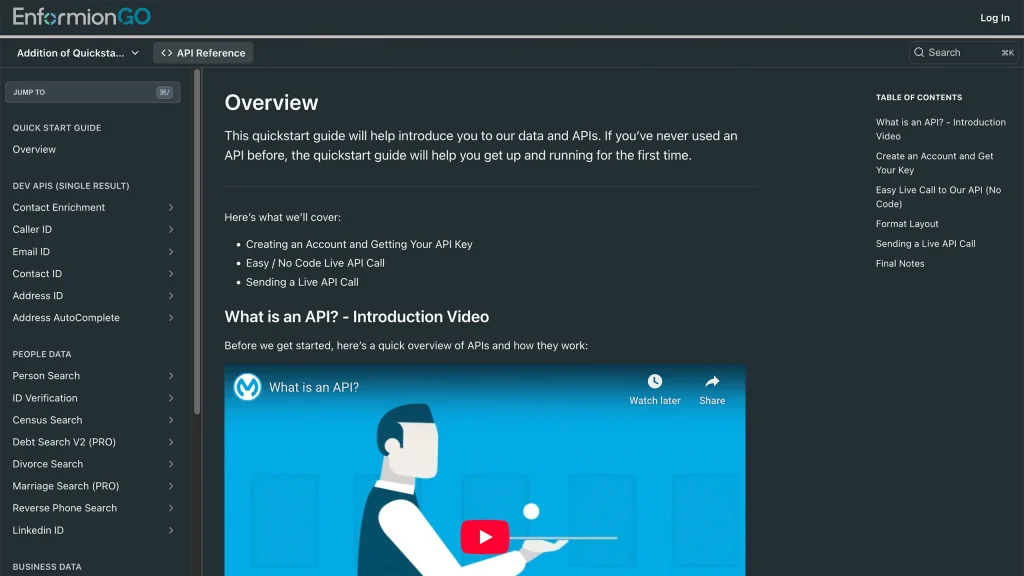
Enformiongo api documentation readme

Getting familiar with how to use EnformionGO’s search and API products is very helpful in deciding what products you’ll want to use. We’ve created this quick start guide to walk new users through how to use EnformionGO. Happy searching!

Pro License Data

Filter Pro License Data using the fields below.

  • License Status
    • Multi select
      Description: Select the license status(es) you want to target. You can select more than one


  • License Issuing State
    • Multi select
      Description: Select the license issuing state(s) you want to target. You can select more than one.


  • License Issuing Date Range
    • Select the date range for when the target matches had their license issued.
  • License Expiration Date Range
    • Select the date range for when the target matches had their license expire.

Workplace & Corporation Data

Filter Workplace Data using the fields below.

  • Years at Company
    • Field type: input
    • Description: Enter the number of years at a company for your target matches.
  • Job Title Level
    • Multi select
      Description: Select the job title level(s) you want to target. You can select more than one.
  • Department
    • Multi select
      Description: Select the department(s) you want to target. You can select more than one.
  • Company Revenue Range
    • Field type: range – min/max ($0 – $100,000,000)
    • Description: Set the company revenue range for your matches
  • Company Size
    • Field type: range – min/max (0 – 10,000)
    • Description: Set the company size range for your matches
  • Office Location City
    • Field type: input
    • Description: Enter the office location city name you want to target
 
  • Office Location County
    • Field type: input
    • Description: Enter the office location county name you want to target
  • Office Location State
    • Field type: Multi-select
    • Description: Select the office location state(s) you want to target. You can select more than one.
  • Office Location Zip
    • Field type: input
    • Description: Enter the office location zip code you want to target

Property Data

Filter Property Data using the fields below.

  • Number of Property Owners
    • Field type: range – min/max (0 – 50)
    • Description: Set the range of the number of owners for one of the properties linked to each match you want to target
  • Land Use Code
    • Field type: input
    • Description: Enter the land use code (number only) for one of the properties linked to each match you want to target. For example, for “1100: Single-Family Home” you would enter “1100”
  • Total Square Footage
    • Field type: input
    • Description: Enter the total square footage (number only) for one of the properties linked to each match you want to target

  • Property Value
    • Field type: range – min/max (0 – 10 million)
    • Description: Set the range of the property value for one of the properties linked to each match you want to target
  • Mortgage Amount
    • Field type: input
    • Description: Enter the mortgage amount (number only) for one of the properties linked to each match you want to target
  • Purchase Date
    • Field type: input
    • Description: Enter the purchase date (number only) for one of the properties linked to each match you want to target
  • Property Type
    • Multi select
      Description: Select the property type(s) you want to target. You can select more than one.
  • Owner Type
    • Multi select
      Description: Select the owner type(s) you want to target. You can select more than one.
  • Owner Status
    • Multi select
      Description: Select the owner status(es) you want to target. You can select more than one.
  • Owner Occupied
    • Field type: Boolean
    • Description: Select if you require for one of the properties to be owner-occupied

Consumer Insights Data

Filter Consumer Insights Data using the fields below.

  • Presence of Children
    • Field type: Boolean
    • Description: Select if you require matches with children present in the household
    •  
  • Credit Card Holder
    • Field type: Boolean
    • Description: Select if you require matches to be a credit card holder
  • Interest in Travel
    • Field type: Boolean
    • Description: Select if you require matches to be interested in travel
  • Interest in Cooking
    • Field type: Boolean
    • Description: Select if you require matches to be interested in cooking
  • Interest in Reading
    • Field type: Boolean
    • Description: Select if you require matches to be interested in reading


  • Smoker
    • Field type: Boolean
    • Description: Select if you require matches to be a smoker
  • Exercise Enthusiast
    • Field type: Boolean
    • Description: Select if you require matches to be an exercise enthusiast
  • Exercise with Running
    • Field type: Boolean
    • Description: Select if you require matches who run for exercise
  • Exercise with Walking
    • Field type: Boolean
    • Description: Select if you require matches who walk for exercise
  • Does Aerobic Exercise
    • Field type: Boolean
    • Description: Select if you require matches who do aerobic exercise
  • Into Camping / Hiking
    • Field type: Boolean
    • Description: Select if you require matches who are interested in camping / hiking 
  • Into Natural Foods
    • Field type: Boolean
    • Description: Select if you require matches who are interested in natural foods
  • Into Beauty Health
    • Field type: Boolean
    • Description: Select if you require matches who are interested in health / beauty
  • Into Medical Health
    • Field type: Boolean
    • Description: Select if you require matches who are interested in health / medicine
  • Into the Outdoors
    • Field type: Boolean
    • Description: Select if you require matches who are interested in the outdoors
  • Into Sporty Living
    • Field type: Boolean
    • Description: Select if you require matches who are interested in the outdoors

Location Data

Filter Location Data using the fields below.

  • City
    • Field type: input
    • Description: Enter the city name you want to target
  • County
    • Field type: input
    • Description: Enter the county name you want to target
  • State
    • Field type: Multi-select
    • Description: Select the state(s) you want to target. You can select more than one.
  • Zip
    • Field type: input
    • Description: Enter the zip code you want to target
  • Population Designation
    • Field type: Multi-select
    • Description: Select the population type(s) you want to target. You can select more than one.

Person Data

Filter Person Data using the fields below.

  • Age
    • Field type: range – min/max (18 – 120)
    • Description: Set the age range for your matches
  • Education Level
    • Multi select
      Description: Select the education level(s) you want to target. You can select more than one.
  • Credit Score
    • Field type: range – min/max (0 – 850)
    • Description: Set the credit score range for your matches
  • Estimated Income
    • Field type: range – min/max ($0 – $250,000)
    • Description: Set the income range for your matches. Max setting is $250,000+.
  • Number of Properties Owned
    • Field type: range – min/max (0 – 50)
    • Description: Set the owned properties range for your matches
  • Occupation Level
    • Multi select
      Description: Select the occupation level(s) you want to target. You can select more than one.
  • Marital Status
    • Multi select
      Description: Select the marital status(es) you want to target. You can select more than one.
  • Gender
    • Multi select
      Description: Select the gender(s) you want to target. You can select more than one. Default is all.