
Market Research Methodologies Explained

Market research is the foundation of informed decision-making. Whether you’re a real estate professional evaluating property trends or a marketer identifying new audiences, the right methodology transforms raw data into meaningful insights. Understanding the most effective approaches—and having access to reliable data—can significantly elevate outcomes.

What Are Market Research Methodologies?

Market research methodologies are structured approaches used to collect, analyze, and interpret data about a target market. These methods help professionals uncover patterns, validate assumptions, and guide strategic decisions across industries.

They typically fall into two broad categories:

Quantitative Research

This method focuses on numerical data and statistical analysis. It answers questions like “how many,” “how often,” or “how much.”

Examples include:

  • Surveys with measurable responses
  • Census and demographic data analysis
  • Market trend forecasting

Qualitative Research

This approach explores deeper insights into behaviors, motivations, and preferences.

Common techniques include:

  • Interviews and focus groups
  • Observational studies
  • Customer feedback analysis


Both methodologies work best when combined, offering a complete picture of market dynamics.

What Are Market Research Methodologies (2)

Core Market Research Methods

Primary Research

Primary research involves collecting original data directly from sources. It is tailored to specific business needs and offers highly relevant insights.

Key methods:

  • Surveys and questionnaires
  • Interviews with stakeholders
  • Field observations

Secondary Research

Secondary research uses existing data collected by other organizations. This is often faster and cost-effective.

Sources include:

  • Public records
  • Industry reports
  • Government databases


Platforms like EnformionGO enhance secondary research by aggregating data from over 6,000 unique sources, enabling users to quickly access verified public records and cross-reference existing data for deeper insights. For professionals looking to streamline research workflows, it’s easy to explore and get started with a free trial.

The Role of Data Intelligence in Modern Research

Traditional research methods are evolving with the rise of data intelligence platforms. Today, access to real-time, comprehensive datasets is essential for accuracy and speed.

EnformionGO stands out as a data intelligence platform that provides:

  • Real-time access to identity, people, business, asset, and court record data
  • Self-service search capabilities for immediate insights
  • API integrations for scalable, automated workflows


This level of accessibility allows realtors, developers, marketers, and sales professionals to conduct research and analyze market trends more efficiently using reliable public record data.

The Role of Data Intelligence in Modern Research (2)

Applying Market Research Across Industries

Real Estate and Development

Market research helps identify:

  • Property ownership trends
  • Neighborhood demographics
  • Investment opportunities


With tools like EnformionGO, professionals can analyze ownership records and market shifts efficiently, supporting smarter property decisions. Many teams are already choosing to get started with modern data tools to stay competitive.

Marketing and Sales

Understanding customer profiles is key to effective outreach.

Market research supports:

  • Audience segmentation
  • Lead qualification
  • Campaign optimization


By leveraging enriched datasets, sales teams can refine targeting and improve conversion rates.

Business Intelligence

Organizations rely on research to evaluate:

  • Competitor positioning
  • Market expansion opportunities
  • Risk assessment


Access to cross-referenced public record data strengthens accuracy and confidence in strategic planning.

Choosing the Right Methodology

Selecting the right approach depends on your goals, timeline, and available resources.

Consider:

  • The type of data needed (quantitative vs. qualitative)
  • The urgency of insights
  • The scale of analysis


Blending traditional methodologies with modern data platforms often yields the most comprehensive results. With EnformionGO, users can seamlessly integrate large-scale data access into their research process, enhancing both efficiency and depth.

Bringing It All Together

Effective market research is about more than collecting data—it’s about accessing the right data, at the right time, in a way that drives action. By combining proven methodologies with advanced data intelligence tools, professionals can uncover opportunities and make confident decisions.

If you’re ready to elevate your research capabilities with real-time insights and powerful data access, now is the perfect time to get started.
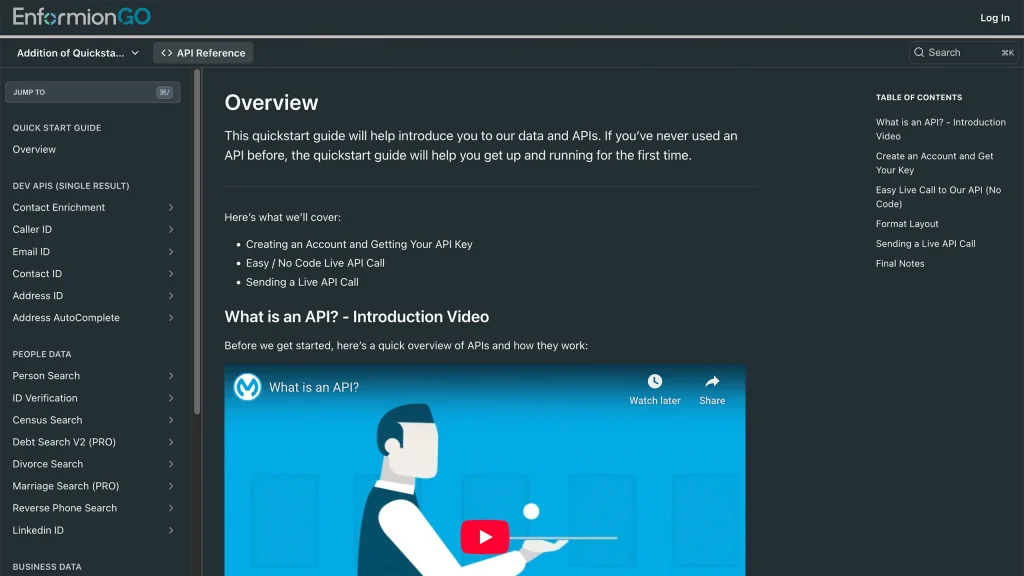
Enformiongo api documentation readme

Getting familiar with how to use EnformionGO’s search and API products is very helpful in deciding what products you’ll want to use. We’ve created this quick start guide to walk new users through how to use EnformionGO. Happy searching!

Pro License Data

Filter Pro License Data using the fields below.

  • License Status
    • Multi select
      Description: Select the license status(es) you want to target. You can select more than one


  • License Issuing State
    • Multi select
      Description: Select the license issuing state(s) you want to target. You can select more than one.


  • License Issuing Date Range
    • Select the date range for when the target matches had their license issued.
  • License Expiration Date Range
    • Select the date range for when the target matches had their license expire.

Workplace & Corporation Data

Filter Workplace Data using the fields below.

  • Years at Company
    • Field type: input
    • Description: Enter the number of years at a company for your target matches.
  • Job Title Level
    • Multi select
      Description: Select the job title level(s) you want to target. You can select more than one.
  • Department
    • Multi select
      Description: Select the department(s) you want to target. You can select more than one.
  • Company Revenue Range
    • Field type: range – min/max ($0 – $100,000,000)
    • Description: Set the company revenue range for your matches
  • Company Size
    • Field type: range – min/max (0 – 10,000)
    • Description: Set the company size range for your matches
  • Office Location City
    • Field type: input
    • Description: Enter the office location city name you want to target
 
  • Office Location County
    • Field type: input
    • Description: Enter the office location county name you want to target
  • Office Location State
    • Field type: Multi-select
    • Description: Select the office location state(s) you want to target. You can select more than one.
  • Office Location Zip
    • Field type: input
    • Description: Enter the office location zip code you want to target

Property Data

Filter Property Data using the fields below.

  • Number of Property Owners
    • Field type: range – min/max (0 – 50)
    • Description: Set the range of the number of owners for one of the properties linked to each match you want to target
  • Land Use Code
    • Field type: input
    • Description: Enter the land use code (number only) for one of the properties linked to each match you want to target. For example, for “1100: Single-Family Home” you would enter “1100”
  • Total Square Footage
    • Field type: input
    • Description: Enter the total square footage (number only) for one of the properties linked to each match you want to target

  • Property Value
    • Field type: range – min/max (0 – 10 million)
    • Description: Set the range of the property value for one of the properties linked to each match you want to target
  • Mortgage Amount
    • Field type: input
    • Description: Enter the mortgage amount (number only) for one of the properties linked to each match you want to target
  • Purchase Date
    • Field type: input
    • Description: Enter the purchase date (number only) for one of the properties linked to each match you want to target
  • Property Type
    • Multi select
      Description: Select the property type(s) you want to target. You can select more than one.
  • Owner Type
    • Multi select
      Description: Select the owner type(s) you want to target. You can select more than one.
  • Owner Status
    • Multi select
      Description: Select the owner status(es) you want to target. You can select more than one.
  • Owner Occupied
    • Field type: Boolean
    • Description: Select if you require for one of the properties to be owner-occupied

Consumer Insights Data

Filter Consumer Insights Data using the fields below.

  • Presence of Children
    • Field type: Boolean
    • Description: Select if you require matches with children present in the household
    •  
  • Credit Card Holder
    • Field type: Boolean
    • Description: Select if you require matches to be a credit card holder
  • Interest in Travel
    • Field type: Boolean
    • Description: Select if you require matches to be interested in travel
  • Interest in Cooking
    • Field type: Boolean
    • Description: Select if you require matches to be interested in cooking
  • Interest in Reading
    • Field type: Boolean
    • Description: Select if you require matches to be interested in reading


  • Smoker
    • Field type: Boolean
    • Description: Select if you require matches to be a smoker
  • Exercise Enthusiast
    • Field type: Boolean
    • Description: Select if you require matches to be an exercise enthusiast
  • Exercise with Running
    • Field type: Boolean
    • Description: Select if you require matches who run for exercise
  • Exercise with Walking
    • Field type: Boolean
    • Description: Select if you require matches who walk for exercise
  • Does Aerobic Exercise
    • Field type: Boolean
    • Description: Select if you require matches who do aerobic exercise
  • Into Camping / Hiking
    • Field type: Boolean
    • Description: Select if you require matches who are interested in camping / hiking 
  • Into Natural Foods
    • Field type: Boolean
    • Description: Select if you require matches who are interested in natural foods
  • Into Beauty Health
    • Field type: Boolean
    • Description: Select if you require matches who are interested in health / beauty
  • Into Medical Health
    • Field type: Boolean
    • Description: Select if you require matches who are interested in health / medicine
  • Into the Outdoors
    • Field type: Boolean
    • Description: Select if you require matches who are interested in the outdoors
  • Into Sporty Living
    • Field type: Boolean
    • Description: Select if you require matches who are interested in the outdoors

Location Data

Filter Location Data using the fields below.

  • City
    • Field type: input
    • Description: Enter the city name you want to target
  • County
    • Field type: input
    • Description: Enter the county name you want to target
  • State
    • Field type: Multi-select
    • Description: Select the state(s) you want to target. You can select more than one.
  • Zip
    • Field type: input
    • Description: Enter the zip code you want to target
  • Population Designation
    • Field type: Multi-select
    • Description: Select the population type(s) you want to target. You can select more than one.

Person Data

Filter Person Data using the fields below.

  • Age
    • Field type: range – min/max (18 – 120)
    • Description: Set the age range for your matches
  • Education Level
    • Multi select
      Description: Select the education level(s) you want to target. You can select more than one.
  • Credit Score
    • Field type: range – min/max (0 – 850)
    • Description: Set the credit score range for your matches
  • Estimated Income
    • Field type: range – min/max ($0 – $250,000)
    • Description: Set the income range for your matches. Max setting is $250,000+.
  • Number of Properties Owned
    • Field type: range – min/max (0 – 50)
    • Description: Set the owned properties range for your matches
  • Occupation Level
    • Multi select
      Description: Select the occupation level(s) you want to target. You can select more than one.
  • Marital Status
    • Multi select
      Description: Select the marital status(es) you want to target. You can select more than one.
  • Gender
    • Multi select
      Description: Select the gender(s) you want to target. You can select more than one. Default is all.