
Sales Enablement Platform: What to Look For
A sales enablement platform should help your team turn knowledge into useful action. When evaluating one, start with the work people need to do: prepare for conversations, find relevant information, and apply a consistent sales process.
Build your shortlist around those tasks. A long feature list cannot tell you whether a tool fits your team. Define the problem, identify the information required, and test how the platform supports a real workflow.
For the data research part of that workflow, Explore EnformionGO.
Match the Platform to Daily Sales Tasks
Map a typical task from its starting point to its next action. What does a salesperson need before contacting a prospect? Where do they find it? What must they record afterward?
- Separate essential tasks from occasional requests.
- Identify repeated searches and manual handoffs.
- Ask users to demonstrate where information becomes difficult to find.
Use this task map in demonstrations. Ask vendors to show the steps your team would actually take, including how users handle missing information. Evaluate ease of use in context, rather than judging a polished demonstration alone.

Look for Reliable Research Context
Sales materials and training are only part of preparation. Teams may also need business research and verified records to understand a prospect’s context. Evaluate that data layer separately: what information is available, how matches are reviewed, and how uncertainty is recorded.
EnformionGO is a data intelligence platform providing real-time access to identity, people, business, asset, and court record data through self-service searches and API integrations. It draws on more than 6,000 unique data sources for public-record inquiries and cross-referencing existing data.
Its supported applications include sales research, marketing, market research, and data verification. Use relevant business information for a defined research purpose, and review conflicting details before relying on a record.
Check How Information Fits Your Workflow
Confirm how users will access research data and move useful findings into their existing process. Self-service searches may suit individual research tasks; API access requires technical planning. Document the steps, available fields, and review responsibilities for your intended approach.
Do not assume a platform connects directly to your current systems. Ask for documentation and test the specific connection or transfer process you need. Include the people who will maintain it.
To investigate EnformionGO’s search and API access for business research, Get Started with EnformionGO.

Evaluate Adoption and Review Habits
A useful evaluation includes the people who will use the platform every day. Check whether they can complete common tasks without extensive assistance, locate guidance, and flag information that needs review.
Assign responsibility for keeping research notes current. Record when a detail was checked, distinguish verified facts from assumptions, and avoid collecting unrelated personal information. Define how your team respects contact preferences during outreach.
Also compare the full effort required: setup, training, ongoing maintenance, and any separate research tools. Assess these requirements against the workflow you mapped at the start.
Run a Focused Pilot Before Expanding
Choose one sales task and a small group of users for a pilot. Set clear evaluation questions: can users find relevant information, review uncertain records, and prepare a useful next action? Observe the steps and gather practical feedback.
Use the results to decide what to keep, change, or investigate further. A sales enablement platform earns its place through a workable process and consistent use. For the research component, the EnformionGO instructions below introduce its search and API products. Get Started.
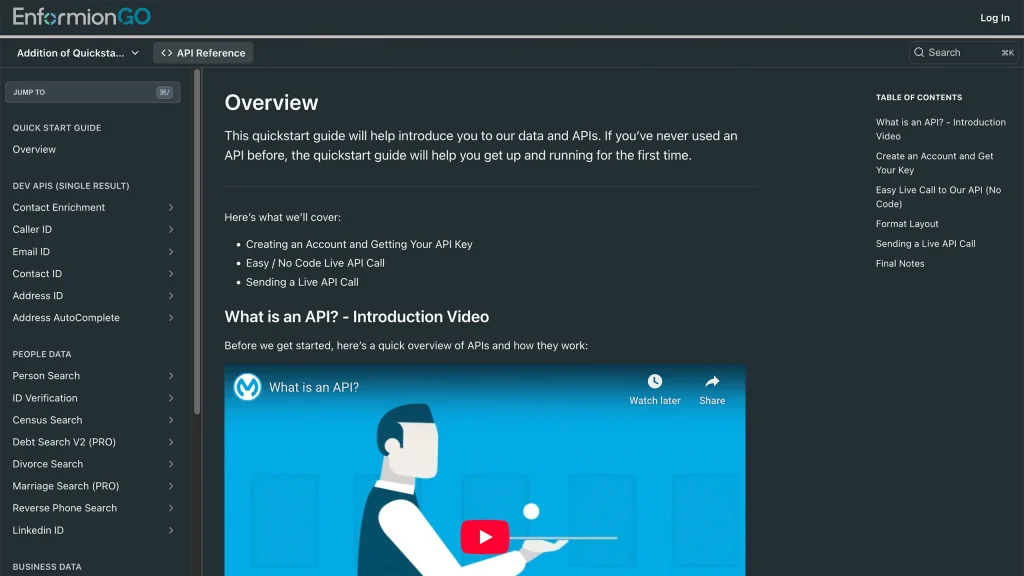
Getting familiar with how to use EnformionGO’s search and API products is very helpful in deciding what products you’ll want to use. We’ve created this quick start guide to walk new users through how to use EnformionGO. Happy searching!