
Value-Based Segmentation in Marketing

Value-based segmentation is a marketing strategy that groups customers based on their overall value to a business. Rather than focusing solely on demographics or location, this approach prioritizes behaviors, purchasing patterns, and long-term potential. The result is more relevant outreach, stronger relationships, and better allocation of resources.

At its core, value-based segmentation helps organizations identify which audiences drive the most impact—and how to serve them more effectively.

What Is Value-Based Segmentation?

Value-based segmentation divides audiences into groups according to measurable value indicators such as:

  • Purchase frequency
  • Transaction size
  • Lifetime value (LTV)
  • Engagement levels
  • Product or service preferences


By analyzing these factors, businesses can tailor messaging, offers, and strategies to match the expectations of each segment.

For example, a real estate marketer may prioritize high-intent buyers differently than casual browsers, while a developer may focus on investors with strong purchasing histories.

What Is Value Based Segmentation

Why Value-Based Segmentation Matters

Modern marketing thrives on relevance. When messaging aligns with a customer’s needs and behaviors, engagement naturally increases.

Key benefits include:

  • Improved targeting: Focus efforts on high-value audiences
  • Higher ROI: Allocate budgets where they generate the most impact
  • Personalized experiences: Deliver messaging that resonates
  • Stronger customer relationships: Build trust through relevance


This approach is especially powerful in industries like real estate, sales, and business development, where understanding people and market dynamics is essential.

The Role of Data in Effective Segmentation

Accurate segmentation depends on reliable, comprehensive data. Without a strong data foundation, even the best strategies can fall short.

This is where platforms like EnformionGO naturally support value-based segmentation. By providing real-time access to identity, people, business, asset, and court record data, EnformionGO helps professionals conduct market research, enrich existing records, and support audience analysis for marketing and business development purposes.

With information sourced from over 6,000 unique data sources, users can:

  • Perform public record inquiries
  • Cross-reference existing datasets
  • Identify patterns and trends
  • Support market research and audience analysis with cross-referenced public record data


For realtors, developers, marketers, and sales professionals, this level of data access supports more informed segmentation strategies and more relevant outreach efforts. If you’re looking to elevate your segmentation strategy, you can explore the platform and get started with a free trial.


The Role of Data in Effective Segmentation

Applying Value-Based Segmentation in Marketing

Putting this strategy into action involves a few key steps:

1. Define Value Metrics

Determine what “value” means for your business. This could include revenue contribution, engagement level, or long-term potential.

2. Gather and Enrich Data

Use trusted data sources to build a complete picture of your audience. EnformionGO supports this process by offering both self-service searches and API integrations for seamless data access.

3. Segment Your Audience

Group customers into tiers such as:

  • High-value customers
  • Growth potential segments
  • Occasional or emerging users

4. Tailor Messaging and Offers

Create targeted campaigns for each segment. High-value groups may receive premium offerings, while growth segments benefit from nurturing strategies.

5. Continuously Optimize

Segmentation is not static. Regular updates based on new data ensure ongoing accuracy and effectiveness.

Real-World Use Cases

Value-based segmentation is widely used across industries:

  • Real estate professionals: Identify high-intent buyers and property investors
  • Developers: Analyze market demand and target high-value regions
  • Marketers: Personalize campaigns based on behavior and engagement
  • Sales teams: Focus outreach on prospects with the highest conversion potential


By combining segmentation strategies with robust data intelligence, professionals gain a clearer understanding of who to engage and how.

Enhancing Strategy with EnformionGO

EnformionGO serves as a practical solution for organizations seeking deeper insights into their audiences. Its comprehensive data catalog supports:

  • Market research and analysis
  • Audience profiling and segmentation
  • Lead enrichment and verification
  • Scalable data access through API integrations

Because the platform delivers real-time, cross-referenced data, it helps ensure segmentation decisions are based on current and accurate information. This empowers teams to act with clarity and precision.

Whether you’re refining your marketing strategy or expanding into new markets, having access to reliable data can make a measurable difference. You can explore these capabilities and get started to see how value-based segmentation can work in practice.

Bringing It All Together

Value-based segmentation transforms how businesses understand and engage their audiences. By focusing on measurable impact and leveraging comprehensive data, organizations can create more meaningful connections and drive consistent growth.

With tools like EnformionGO supporting data collection and analysis, implementing this strategy becomes more streamlined, scalable, and effective. For teams looking to strengthen their marketing approach, now is a great time to get started and explore the advantages of data-driven segmentation.

Frequently Asked Questions About Value-Based Segmentation

What is value-based segmentation in marketing?

Value-based segmentation is a marketing approach that groups customers or prospects based on their measurable value to a business, such as purchase history, engagement level, lifetime value, or growth potential.

How does value-based segmentation improve marketing campaigns?

Value-based segmentation helps teams prioritize audiences, personalize messaging, and focus resources on segments that are most aligned with business goals.

What data is useful for value-based segmentation?

Useful data can include transaction history, engagement activity, location-based insights, business information, asset records, and other public record data points that support market research and audience analysis.

How can EnformionGO support value-based segmentation?

EnformionGO supports value-based segmentation by providing real-time access to identity, people, business, asset, and court record data through self-service searches and API integrations for market research, audience analysis, and business development purposes.

Who can benefit from using EnformionGO for market research?

Realtors, developers, marketers, and sales professionals can use EnformionGO to enrich research, better understand audiences, and support more informed outreach strategies.

How can businesses begin using data for segmentation?

Businesses can begin by defining their value metrics, organizing existing customer data, enriching records with trusted sources, and creating audience segments based on measurable patterns. To explore EnformionGO for data-driven segmentation, get started.
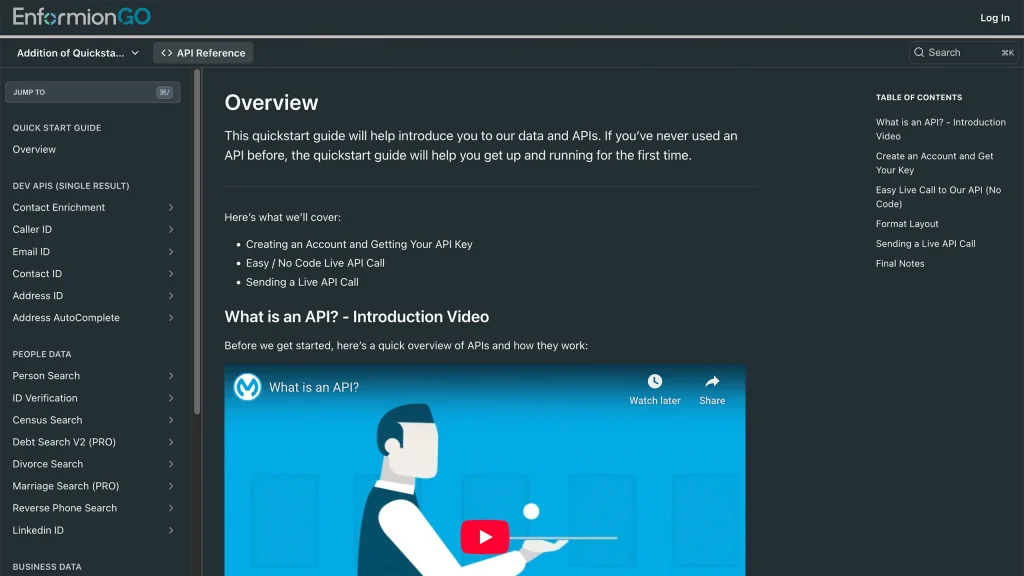
Enformiongo api documentation readme

Getting familiar with how to use EnformionGO’s search and API products is very helpful in deciding what products you’ll want to use. We’ve created this quick start guide to walk new users through how to use EnformionGO. Happy searching!

Pro License Data

Filter Pro License Data using the fields below.

  • License Status
    • Multi select
      Description: Select the license status(es) you want to target. You can select more than one


  • License Issuing State
    • Multi select
      Description: Select the license issuing state(s) you want to target. You can select more than one.


  • License Issuing Date Range
    • Select the date range for when the target matches had their license issued.
  • License Expiration Date Range
    • Select the date range for when the target matches had their license expire.

Workplace & Corporation Data

Filter Workplace Data using the fields below.

  • Years at Company
    • Field type: input
    • Description: Enter the number of years at a company for your target matches.
  • Job Title Level
    • Multi select
      Description: Select the job title level(s) you want to target. You can select more than one.
  • Department
    • Multi select
      Description: Select the department(s) you want to target. You can select more than one.
  • Company Revenue Range
    • Field type: range – min/max ($0 – $100,000,000)
    • Description: Set the company revenue range for your matches
  • Company Size
    • Field type: range – min/max (0 – 10,000)
    • Description: Set the company size range for your matches
  • Office Location City
    • Field type: input
    • Description: Enter the office location city name you want to target
 
  • Office Location County
    • Field type: input
    • Description: Enter the office location county name you want to target
  • Office Location State
    • Field type: Multi-select
    • Description: Select the office location state(s) you want to target. You can select more than one.
  • Office Location Zip
    • Field type: input
    • Description: Enter the office location zip code you want to target

Property Data

Filter Property Data using the fields below.

  • Number of Property Owners
    • Field type: range – min/max (0 – 50)
    • Description: Set the range of the number of owners for one of the properties linked to each match you want to target
  • Land Use Code
    • Field type: input
    • Description: Enter the land use code (number only) for one of the properties linked to each match you want to target. For example, for “1100: Single-Family Home” you would enter “1100”
  • Total Square Footage
    • Field type: input
    • Description: Enter the total square footage (number only) for one of the properties linked to each match you want to target

  • Property Value
    • Field type: range – min/max (0 – 10 million)
    • Description: Set the range of the property value for one of the properties linked to each match you want to target
  • Mortgage Amount
    • Field type: input
    • Description: Enter the mortgage amount (number only) for one of the properties linked to each match you want to target
  • Purchase Date
    • Field type: input
    • Description: Enter the purchase date (number only) for one of the properties linked to each match you want to target
  • Property Type
    • Multi select
      Description: Select the property type(s) you want to target. You can select more than one.
  • Owner Type
    • Multi select
      Description: Select the owner type(s) you want to target. You can select more than one.
  • Owner Status
    • Multi select
      Description: Select the owner status(es) you want to target. You can select more than one.
  • Owner Occupied
    • Field type: Boolean
    • Description: Select if you require for one of the properties to be owner-occupied

Consumer Insights Data

Filter Consumer Insights Data using the fields below.

  • Presence of Children
    • Field type: Boolean
    • Description: Select if you require matches with children present in the household
    •  
  • Credit Card Holder
    • Field type: Boolean
    • Description: Select if you require matches to be a credit card holder
  • Interest in Travel
    • Field type: Boolean
    • Description: Select if you require matches to be interested in travel
  • Interest in Cooking
    • Field type: Boolean
    • Description: Select if you require matches to be interested in cooking
  • Interest in Reading
    • Field type: Boolean
    • Description: Select if you require matches to be interested in reading


  • Smoker
    • Field type: Boolean
    • Description: Select if you require matches to be a smoker
  • Exercise Enthusiast
    • Field type: Boolean
    • Description: Select if you require matches to be an exercise enthusiast
  • Exercise with Running
    • Field type: Boolean
    • Description: Select if you require matches who run for exercise
  • Exercise with Walking
    • Field type: Boolean
    • Description: Select if you require matches who walk for exercise
  • Does Aerobic Exercise
    • Field type: Boolean
    • Description: Select if you require matches who do aerobic exercise
  • Into Camping / Hiking
    • Field type: Boolean
    • Description: Select if you require matches who are interested in camping / hiking 
  • Into Natural Foods
    • Field type: Boolean
    • Description: Select if you require matches who are interested in natural foods
  • Into Beauty Health
    • Field type: Boolean
    • Description: Select if you require matches who are interested in health / beauty
  • Into Medical Health
    • Field type: Boolean
    • Description: Select if you require matches who are interested in health / medicine
  • Into the Outdoors
    • Field type: Boolean
    • Description: Select if you require matches who are interested in the outdoors
  • Into Sporty Living
    • Field type: Boolean
    • Description: Select if you require matches who are interested in the outdoors

Location Data

Filter Location Data using the fields below.

  • City
    • Field type: input
    • Description: Enter the city name you want to target
  • County
    • Field type: input
    • Description: Enter the county name you want to target
  • State
    • Field type: Multi-select
    • Description: Select the state(s) you want to target. You can select more than one.
  • Zip
    • Field type: input
    • Description: Enter the zip code you want to target
  • Population Designation
    • Field type: Multi-select
    • Description: Select the population type(s) you want to target. You can select more than one.

Person Data

Filter Person Data using the fields below.

  • Age
    • Field type: range – min/max (18 – 120)
    • Description: Set the age range for your matches
  • Education Level
    • Multi select
      Description: Select the education level(s) you want to target. You can select more than one.
  • Credit Score
    • Field type: range – min/max (0 – 850)
    • Description: Set the credit score range for your matches
  • Estimated Income
    • Field type: range – min/max ($0 – $250,000)
    • Description: Set the income range for your matches. Max setting is $250,000+.
  • Number of Properties Owned
    • Field type: range – min/max (0 – 50)
    • Description: Set the owned properties range for your matches
  • Occupation Level
    • Multi select
      Description: Select the occupation level(s) you want to target. You can select more than one.
  • Marital Status
    • Multi select
      Description: Select the marital status(es) you want to target. You can select more than one.
  • Gender
    • Multi select
      Description: Select the gender(s) you want to target. You can select more than one. Default is all.