
What Is First, Second, Third, and Zero-Party Data?

Data plays an essential role in helping businesses understand customers, improve marketing strategies, and make informed business decisions. As privacy expectations evolve, organizations are placing greater value on understanding the different types of data they collect and use. Knowing the differences between first, second, third, and zero-party data helps businesses build more effective strategies while creating meaningful customer experiences.

For organizations looking to enrich their insights, platforms like EnformionGO provide access to extensive public record intelligence that complements existing datasets. With information sourced from more than 6,000 unique data sources, EnformionGO delivers real-time access to identity, people, business, asset, and court record data through self-service searches and API integrations. If you’re looking to strengthen your data strategy, get started and explore how comprehensive data intelligence can support your business goals.

What Is First-Party Data?

First-party data is information a business collects directly from its own audience through interactions with its website, mobile app, CRM, purchases, email subscriptions, or customer support.

Examples include:

  • Purchase history
  • Website activity
  • Email engagement
  • Customer account information
  • Loyalty program participation


Because it comes directly from customer interactions, first-party data is highly relevant and helps businesses personalize experiences, improve customer relationships, and better understand their audiences.

What Is First Party Data

What Is Second-Party Data?

Second-party data is another organization’s first-party data that is shared through a trusted partnership or business agreement. This allows companies to expand their audience insights while working with reliable data sources.

For example, a travel company and a hotel chain may collaborate to better understand shared customer interests and improve joint marketing initiatives.

Since second-party data originates from a trusted partner, it often provides valuable audience insights that complement a company’s existing first-party information.

What Is Third-Party Data?

Third-party data is collected by organizations that aggregate information from numerous sources and make it available to businesses for analytics, market research, audience segmentation, and business intelligence.

Third-party data is commonly used to:

  • Expand market research
  • Identify new business opportunities
  • Understand geographic trends
  • Enhance customer segmentation
  • Support strategic planning


Solutions like EnformionGO help organizations enrich their existing information with real-time public record intelligence. Designed for real estate professionals, developers, marketers, sales teams, investigators, and other businesses, EnformionGO specializes in market research tools and data collection by bringing together information from over 6,000 unique data sources into one easy-to-use platform.

Whether using self-service searches or API integrations, businesses can efficiently access identity, business, asset, and court record data to support informed decisions. To see how it fits into your workflow, get started today.

What Is Third Party Data

What Is Zero-Party Data?

Zero-party data is information that customers intentionally and proactively share with a business. Rather than being inferred from behavior, it comes directly from individuals who choose to provide their preferences.

Examples include:

  • Product preferences
  • Communication preferences
  • Survey responses
  • Shopping intentions
  • Personalized profile selections


Because customers voluntarily provide this information, zero-party data helps businesses deliver highly personalized experiences based on clearly expressed interests.

Why Understanding Data Types Matters

Each type of data serves a different purpose, and many organizations use a combination of them to build a well-rounded data strategy.

A balanced approach can help businesses:

  • Improve customer insights
  • Enhance marketing personalization
  • Support market research
  • Identify growth opportunities
  • Strengthen business intelligence initiatives


When combined with reliable public record intelligence, businesses gain a broader understanding of people, businesses, assets, and market trends that can support strategic planning across many industries.

How EnformionGO Supports Data Intelligence

EnformionGO is a comprehensive data intelligence platform that provides real-time access to identity, people, business, asset, and court record data. It utilizes information from more than 6,000 unique data sources to perform public record inquiries and cross-reference existing information, making it a valuable resource for realtors, developers, marketers, sales professionals, and organizations seeking robust market research tools.

Available through both intuitive self-service searches and API integrations, EnformionGO helps businesses efficiently gather and verify information to support research, lead generation, customer insights, and operational workflows.

Ready to discover how comprehensive public record intelligence can enhance your data strategy? Get started with EnformionGO and experience fast, reliable access to the information your business needs.

Frequently Asked Questions About First, Second, Third, and Zero-Party Data

What is the difference between first-party and zero-party data?

First-party data is collected through customer interactions with a business, such as website visits, purchases, or email engagement. Zero-party data is information a customer intentionally shares, such as preferences, survey responses, or personalization choices.

How is second-party data used in business?

Second-party data is another organization’s first-party data shared through a trusted partnership. Businesses may use it to expand audience insights, improve market research, and support more relevant outreach.

What is third-party data?

Third-party data is collected and aggregated from multiple sources by organizations that provide data for analytics, research, audience segmentation, and business intelligence.

How can EnformionGO support data intelligence?

EnformionGO provides real-time access to identity, people, business, asset, and court record data through self-service searches and API integrations. It utilizes information from over 6,000 unique data sources to help businesses perform public record inquiries and cross-reference existing data.

Who uses EnformionGO?

EnformionGO is designed for professionals such as realtors, developers, marketers, and sales teams that need market research tools and reliable data-collection support. To explore the platform, get started.
Enformiongo api documentation readme

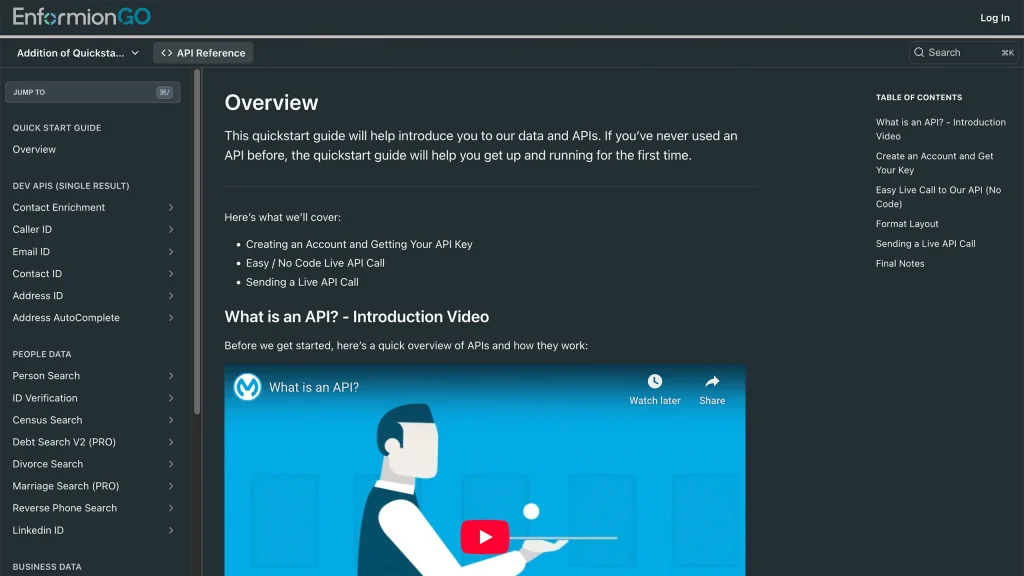
Getting familiar with how to use EnformionGO’s search and API products is very helpful in deciding what products you’ll want to use. We’ve created this quick start guide to walk new users through how to use EnformionGO. Happy searching!

Pro License Data

Filter Pro License Data using the fields below.

  • License Status
    • Multi select
      Description: Select the license status(es) you want to target. You can select more than one


  • License Issuing State
    • Multi select
      Description: Select the license issuing state(s) you want to target. You can select more than one.


  • License Issuing Date Range
    • Select the date range for when the target matches had their license issued.
  • License Expiration Date Range
    • Select the date range for when the target matches had their license expire.

Workplace & Corporation Data

Filter Workplace Data using the fields below.

  • Years at Company
    • Field type: input
    • Description: Enter the number of years at a company for your target matches.
  • Job Title Level
    • Multi select
      Description: Select the job title level(s) you want to target. You can select more than one.
  • Department
    • Multi select
      Description: Select the department(s) you want to target. You can select more than one.
  • Company Revenue Range
    • Field type: range – min/max ($0 – $100,000,000)
    • Description: Set the company revenue range for your matches
  • Company Size
    • Field type: range – min/max (0 – 10,000)
    • Description: Set the company size range for your matches
  • Office Location City
    • Field type: input
    • Description: Enter the office location city name you want to target
 
  • Office Location County
    • Field type: input
    • Description: Enter the office location county name you want to target
  • Office Location State
    • Field type: Multi-select
    • Description: Select the office location state(s) you want to target. You can select more than one.
  • Office Location Zip
    • Field type: input
    • Description: Enter the office location zip code you want to target

Property Data

Filter Property Data using the fields below.

  • Number of Property Owners
    • Field type: range – min/max (0 – 50)
    • Description: Set the range of the number of owners for one of the properties linked to each match you want to target
  • Land Use Code
    • Field type: input
    • Description: Enter the land use code (number only) for one of the properties linked to each match you want to target. For example, for “1100: Single-Family Home” you would enter “1100”
  • Total Square Footage
    • Field type: input
    • Description: Enter the total square footage (number only) for one of the properties linked to each match you want to target

  • Property Value
    • Field type: range – min/max (0 – 10 million)
    • Description: Set the range of the property value for one of the properties linked to each match you want to target
  • Mortgage Amount
    • Field type: input
    • Description: Enter the mortgage amount (number only) for one of the properties linked to each match you want to target
  • Purchase Date
    • Field type: input
    • Description: Enter the purchase date (number only) for one of the properties linked to each match you want to target
  • Property Type
    • Multi select
      Description: Select the property type(s) you want to target. You can select more than one.
  • Owner Type
    • Multi select
      Description: Select the owner type(s) you want to target. You can select more than one.
  • Owner Status
    • Multi select
      Description: Select the owner status(es) you want to target. You can select more than one.
  • Owner Occupied
    • Field type: Boolean
    • Description: Select if you require for one of the properties to be owner-occupied

Consumer Insights Data

Filter Consumer Insights Data using the fields below.

  • Presence of Children
    • Field type: Boolean
    • Description: Select if you require matches with children present in the household
    •  
  • Credit Card Holder
    • Field type: Boolean
    • Description: Select if you require matches to be a credit card holder
  • Interest in Travel
    • Field type: Boolean
    • Description: Select if you require matches to be interested in travel
  • Interest in Cooking
    • Field type: Boolean
    • Description: Select if you require matches to be interested in cooking
  • Interest in Reading
    • Field type: Boolean
    • Description: Select if you require matches to be interested in reading


  • Smoker
    • Field type: Boolean
    • Description: Select if you require matches to be a smoker
  • Exercise Enthusiast
    • Field type: Boolean
    • Description: Select if you require matches to be an exercise enthusiast
  • Exercise with Running
    • Field type: Boolean
    • Description: Select if you require matches who run for exercise
  • Exercise with Walking
    • Field type: Boolean
    • Description: Select if you require matches who walk for exercise
  • Does Aerobic Exercise
    • Field type: Boolean
    • Description: Select if you require matches who do aerobic exercise
  • Into Camping / Hiking
    • Field type: Boolean
    • Description: Select if you require matches who are interested in camping / hiking 
  • Into Natural Foods
    • Field type: Boolean
    • Description: Select if you require matches who are interested in natural foods
  • Into Beauty Health
    • Field type: Boolean
    • Description: Select if you require matches who are interested in health / beauty
  • Into Medical Health
    • Field type: Boolean
    • Description: Select if you require matches who are interested in health / medicine
  • Into the Outdoors
    • Field type: Boolean
    • Description: Select if you require matches who are interested in the outdoors
  • Into Sporty Living
    • Field type: Boolean
    • Description: Select if you require matches who are interested in the outdoors

Location Data

Filter Location Data using the fields below.

  • City
    • Field type: input
    • Description: Enter the city name you want to target
  • County
    • Field type: input
    • Description: Enter the county name you want to target
  • State
    • Field type: Multi-select
    • Description: Select the state(s) you want to target. You can select more than one.
  • Zip
    • Field type: input
    • Description: Enter the zip code you want to target
  • Population Designation
    • Field type: Multi-select
    • Description: Select the population type(s) you want to target. You can select more than one.

Person Data

Filter Person Data using the fields below.

  • Age
    • Field type: range – min/max (18 – 120)
    • Description: Set the age range for your matches
  • Education Level
    • Multi select
      Description: Select the education level(s) you want to target. You can select more than one.
  • Credit Score
    • Field type: range – min/max (0 – 850)
    • Description: Set the credit score range for your matches
  • Estimated Income
    • Field type: range – min/max ($0 – $250,000)
    • Description: Set the income range for your matches. Max setting is $250,000+.
  • Number of Properties Owned
    • Field type: range – min/max (0 – 50)
    • Description: Set the owned properties range for your matches
  • Occupation Level
    • Multi select
      Description: Select the occupation level(s) you want to target. You can select more than one.
  • Marital Status
    • Multi select
      Description: Select the marital status(es) you want to target. You can select more than one.
  • Gender
    • Multi select
      Description: Select the gender(s) you want to target. You can select more than one. Default is all.