Where can I find API JSON examples?

EnformionGO help center

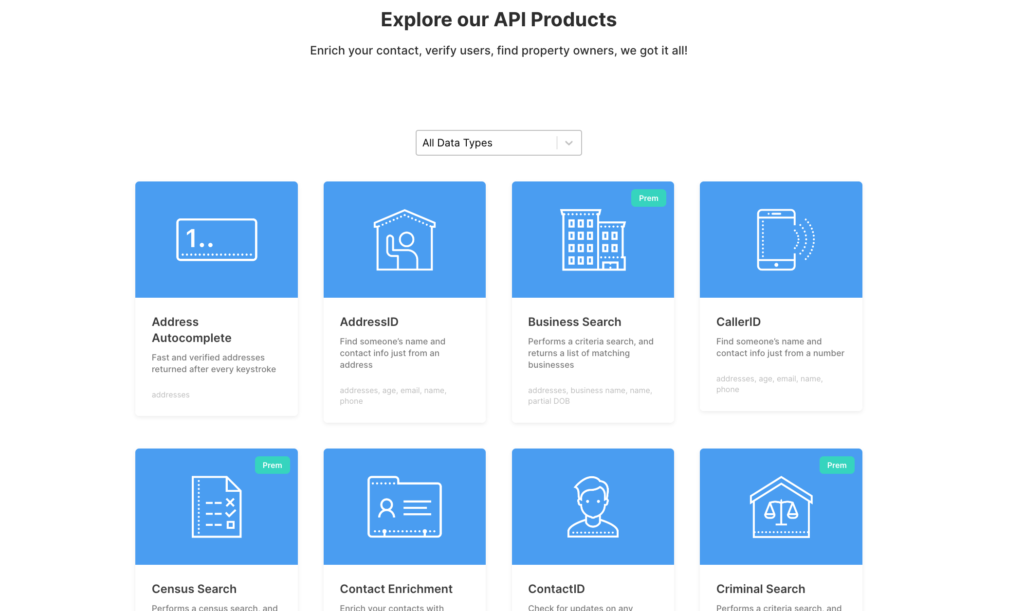
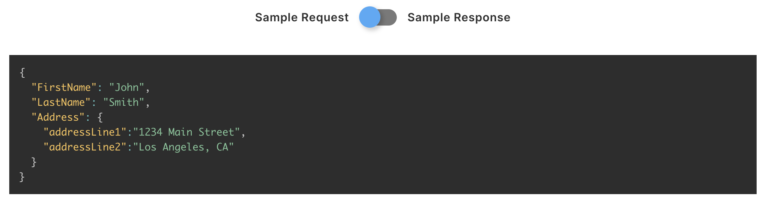
Our API products are covered in detail on the EnformionGO.com website. By going to endato.com/developer-apis and selecting the API product you’d like to see the JSON code for. Each product page will display examples for both the request and response codes.

Screen Shot 2022 11 04 at 3.56.02 PM

Here’s an example for finding the API JSON example for contact enrichment:

First, go to the Developer API page and scroll down to find the product you’re looking for from the list in this screenshot.

Then, search for the product you need the JSON code for. Click on the product thumbnail and you should be redirected to the product’s page with the JSON code displayed, as seen below.

Screen Shot 2022 11 04 at 4.06.00 PM

Person Data

Filter Person Data using the fields below.

  • Age
    • Field type: range – min/max (18 – 120)
    • Description: Set the age range for your matches
  • Education Level
    • Multi select
      Description: Select the education level(s) you want to target. You can select more than one.
  • Credit Score
    • Field type: range – min/max (0 – 850)
    • Description: Set the credit score range for your matches
  • Estimated Income
    • Field type: range – min/max ($0 – $250,000)
    • Description: Set the income range for your matches. Max setting is $250,000+.
  • Number of Properties Owned
    • Field type: range – min/max (0 – 50)
    • Description: Set the owned properties range for your matches
  • Occupation Level
    • Multi select
      Description: Select the occupation level(s) you want to target. You can select more than one.
  • Marital Status
    • Multi select
      Description: Select the marital status(es) you want to target. You can select more than one.
  • Gender
    • Multi select
      Description: Select the gender(s) you want to target. You can select more than one. Default is all.